FinFocus TUI
An interactive dashboard in your terminal. Projected and actual cost, drift and recommendations for each resource, with sorting and filtering.
Use the terminal dashboardcd <your-pulumi-project>finfocusFinFocus prices pulumi preview output through plugins and shows the cost where you work: in your terminal, in your browser and on every pull request. Open source, with budgets and cost history.
Install on Linux or macOS
curl -fsSL https://raw.githubusercontent.com/rshade/finfocus/main/scripts/install.sh | sh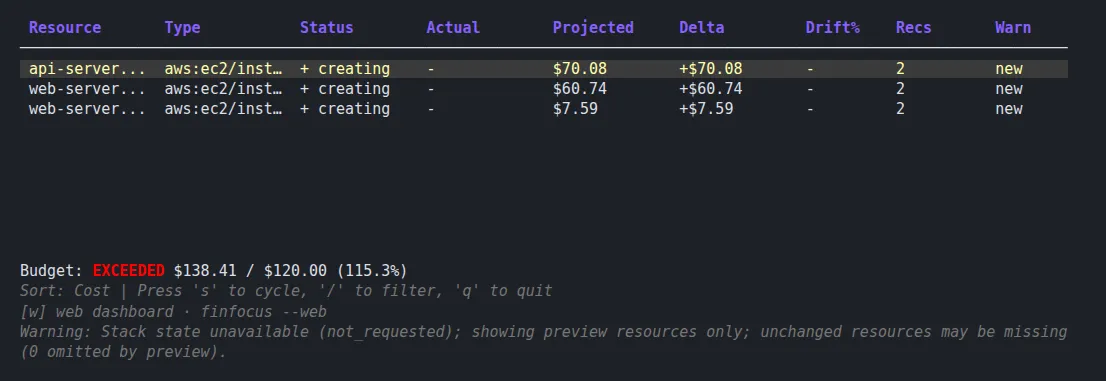
finfocus overview for the example planaws-multi-region-plan.json, priced by the aws-public plugin against a $120 monthly budget.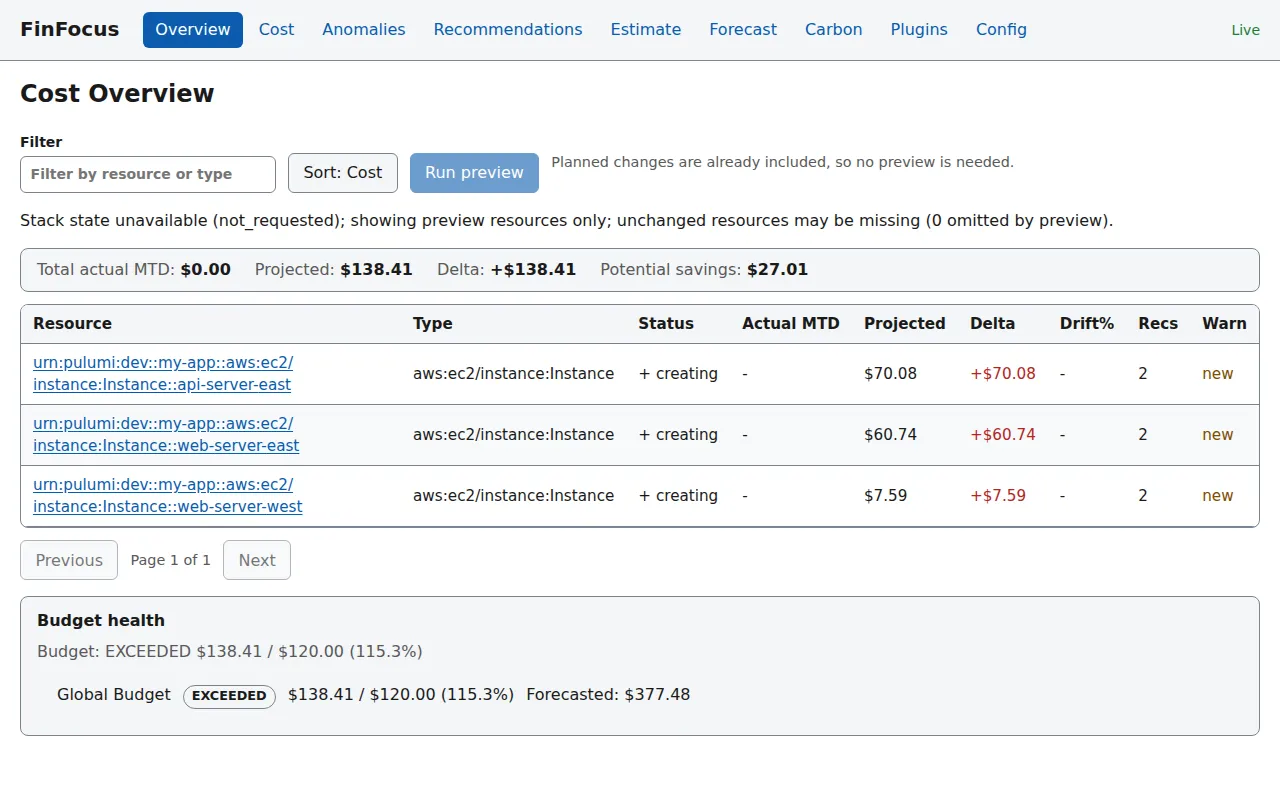
finfocus --web: the same $138.41, from the same engine call and plugin.
One engine and the same plugins behind all three (how it fits together). Add a pricing plugin first:
finfocus plugin install aws-publicAn interactive dashboard in your terminal. Projected and actual cost, drift and recommendations for each resource, with sorting and filtering.
Use the terminal dashboardcd <your-pulumi-project>finfocusThe same numbers in your browser: overview, actual cost, recommendations, what-if estimates and forecasts. It runs on your machine only.
Use the browser dashboardfinfocus --webA cost estimate as a comment on every pull request. The check fails when the cost rises past your limit.
Set up CI/CD- run: pulumi preview --json > plan.json- uses: rshade/finfocus-action@v2 with: pulumi-plan-json: plan.json install-plugins: aws-public fail-on-cost-increase: '100USD'Apache-2.0. Source, issues and releases on GitHub.